|
|
|
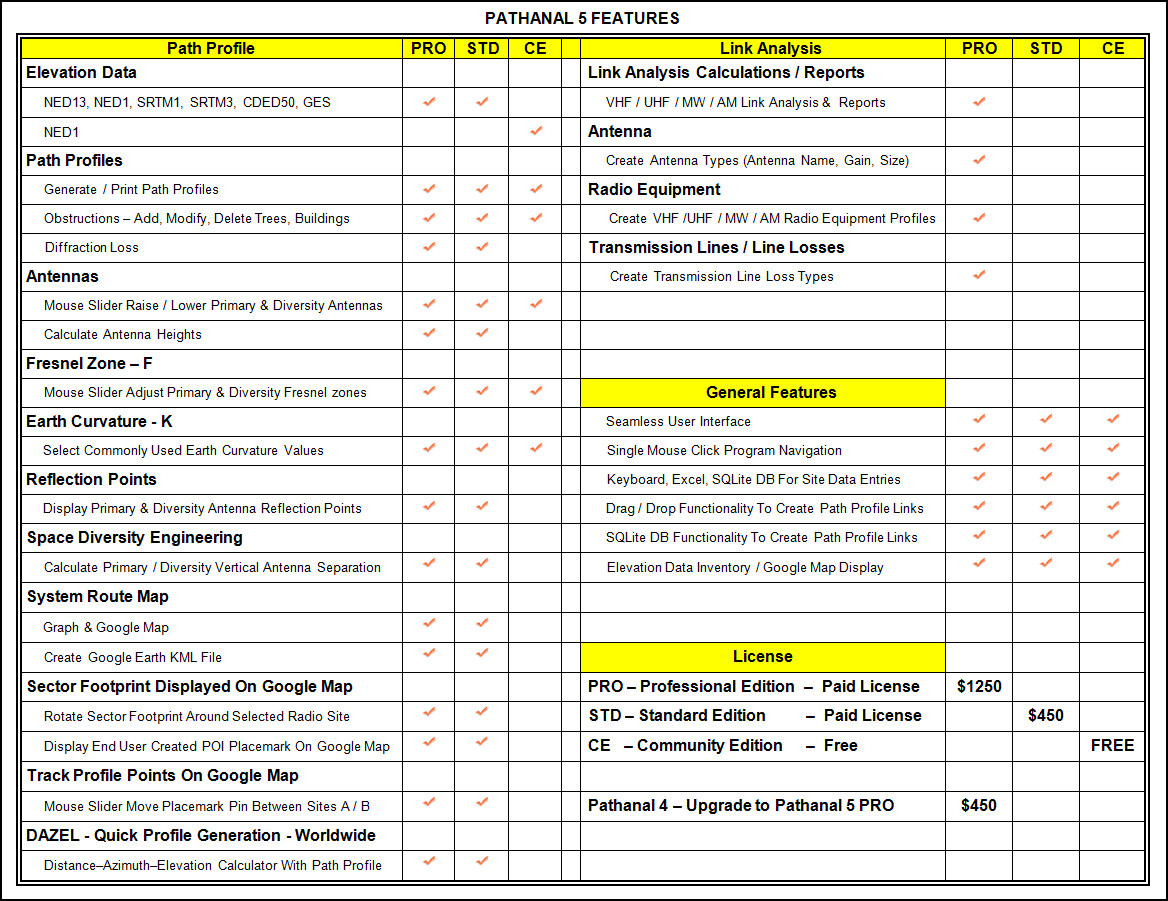
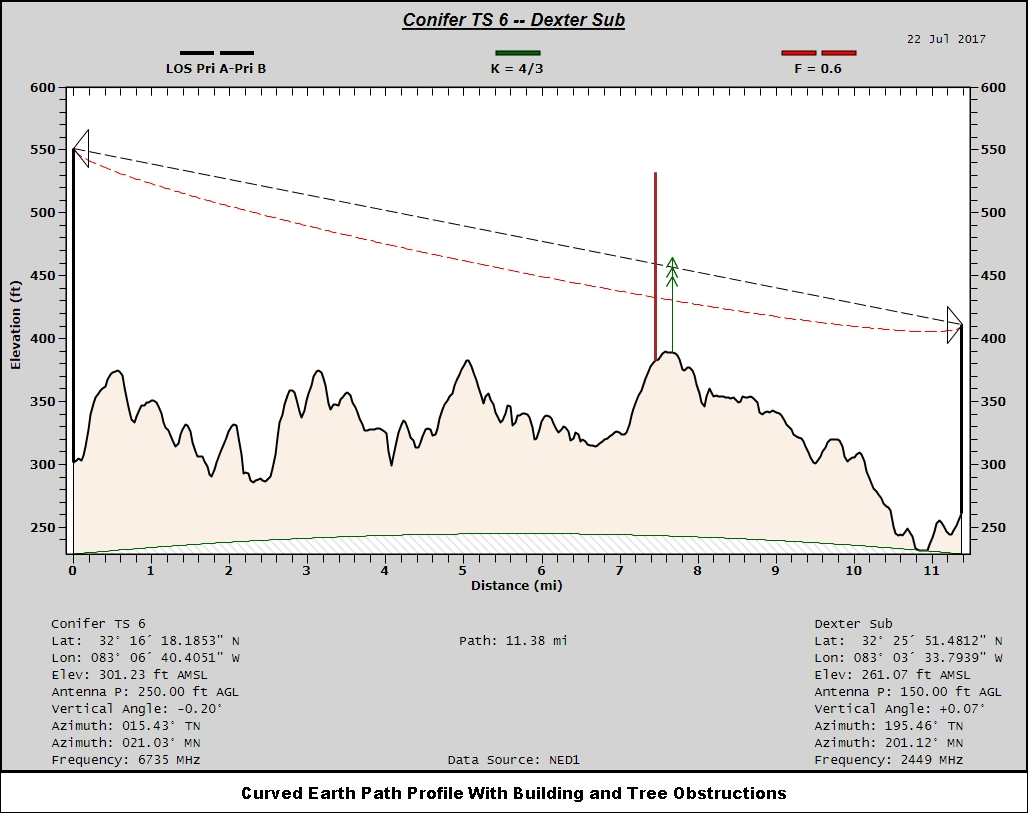
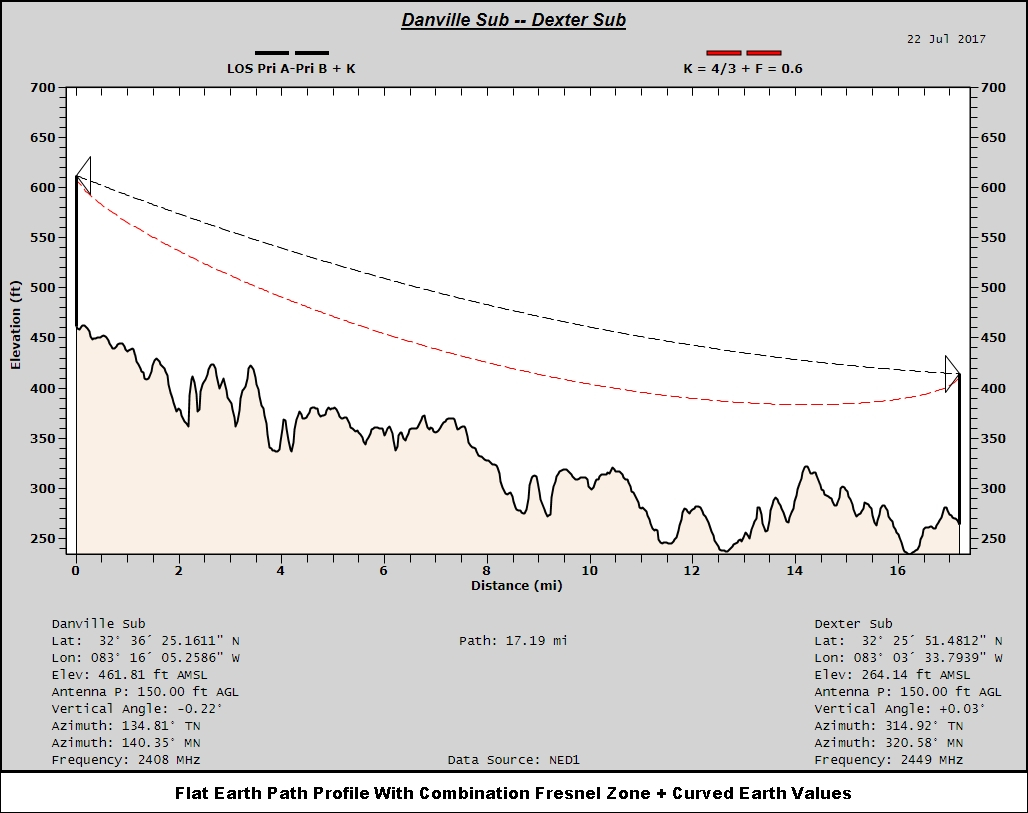
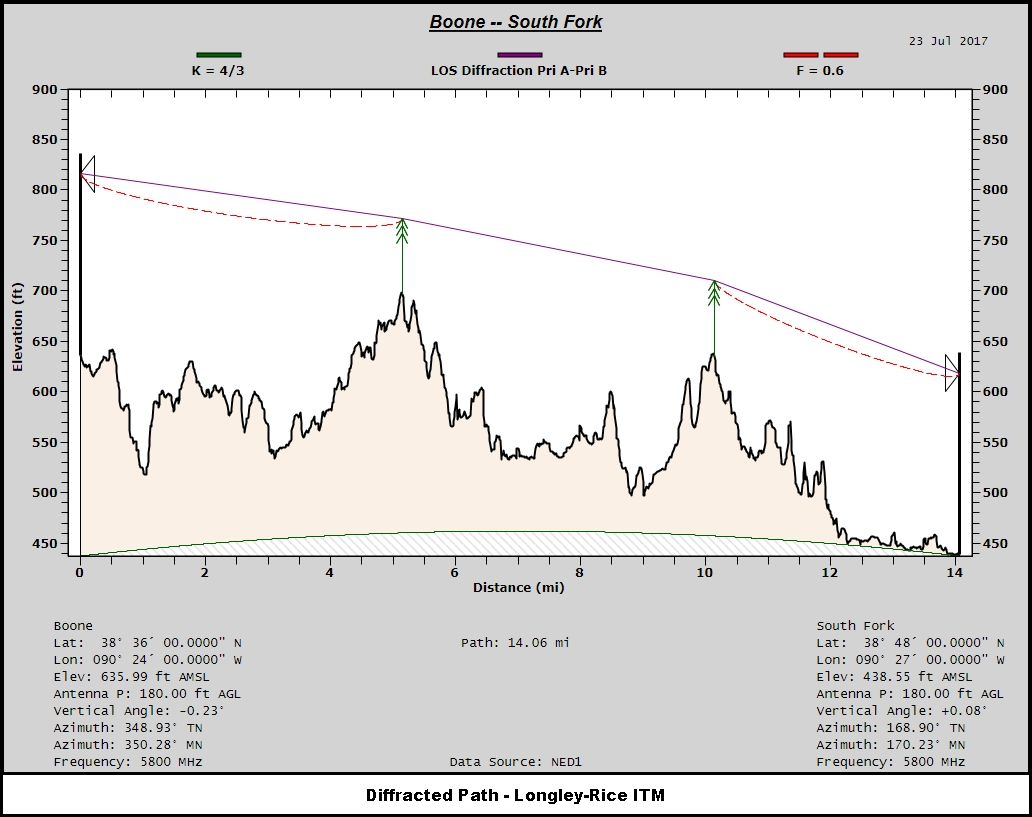
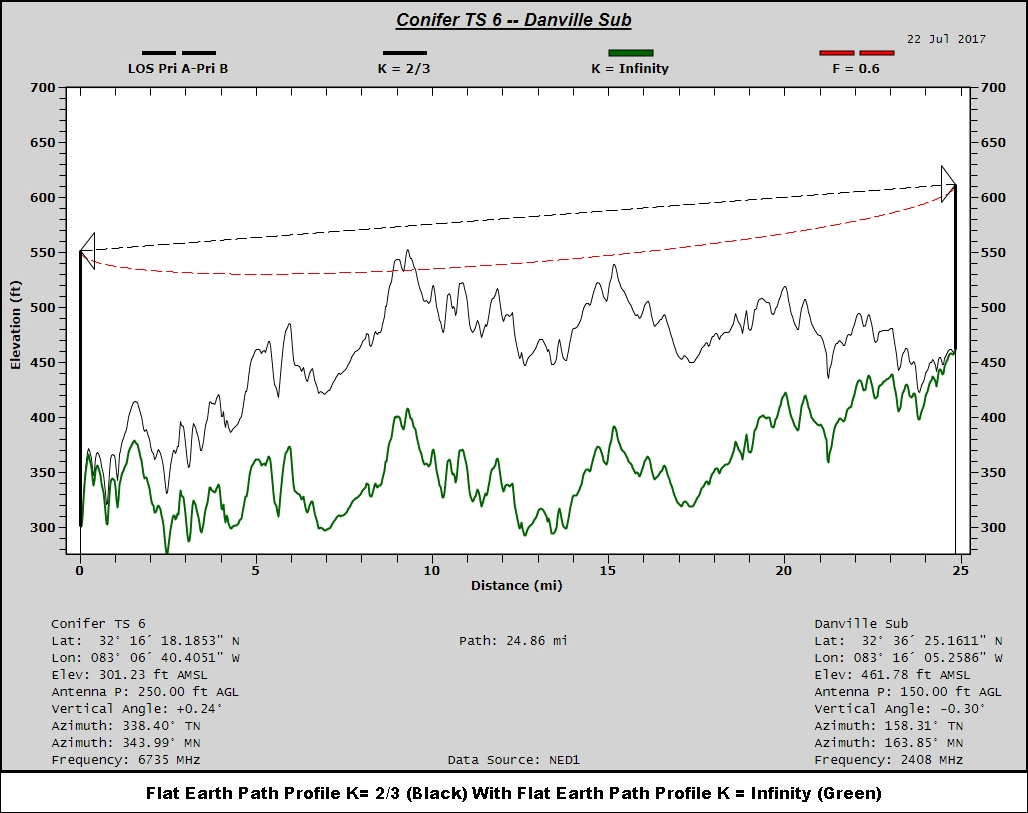
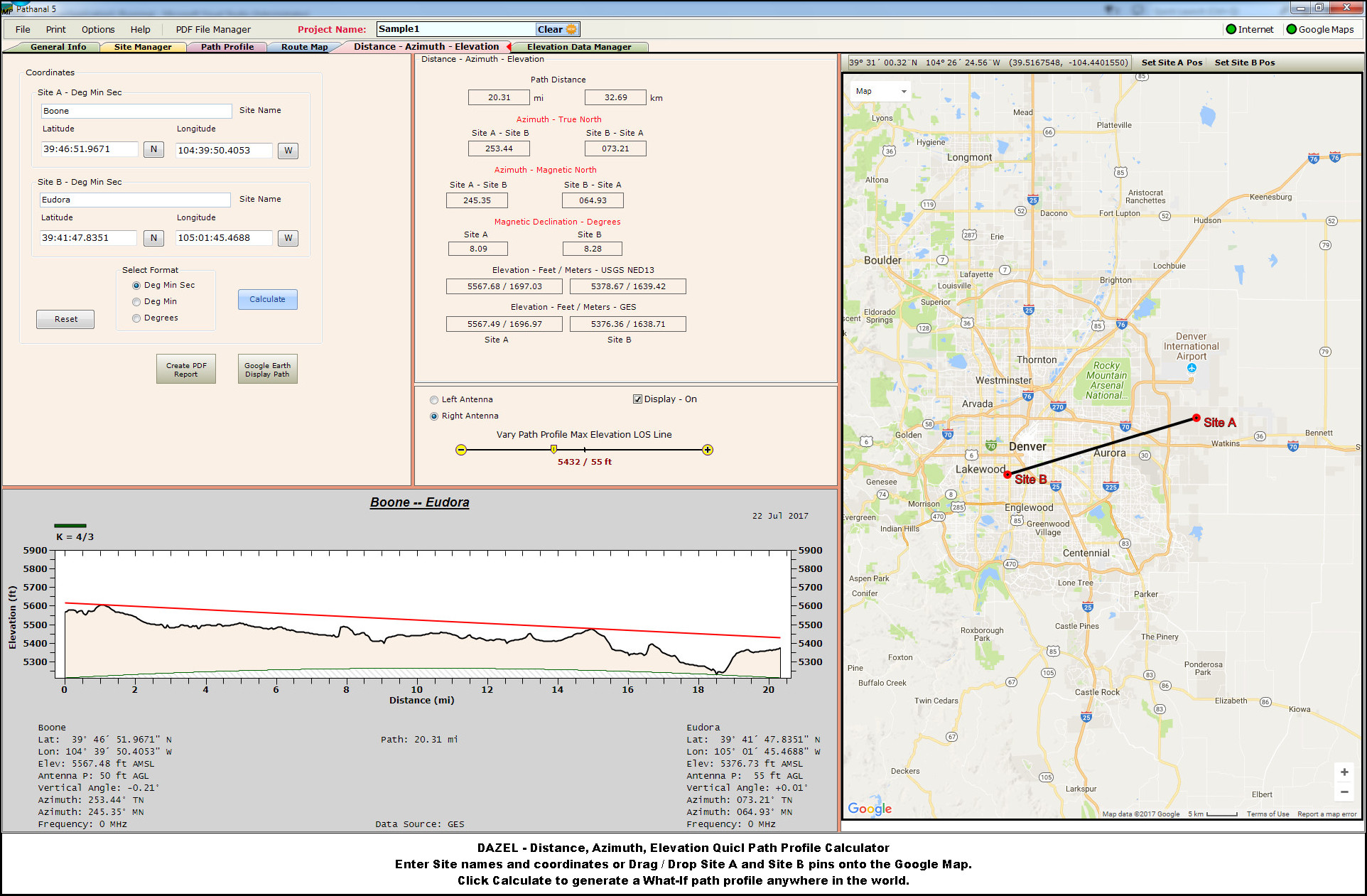
Path ProfilesOffering a variety of styles, path profiles are easy to interpret, contain pertinent site and path information, and are printed to PDF.
Path profiles can be generated with NED1/13, SRTM1/3, CDED50 (Canada) and Google Elevation Service (GES) data.
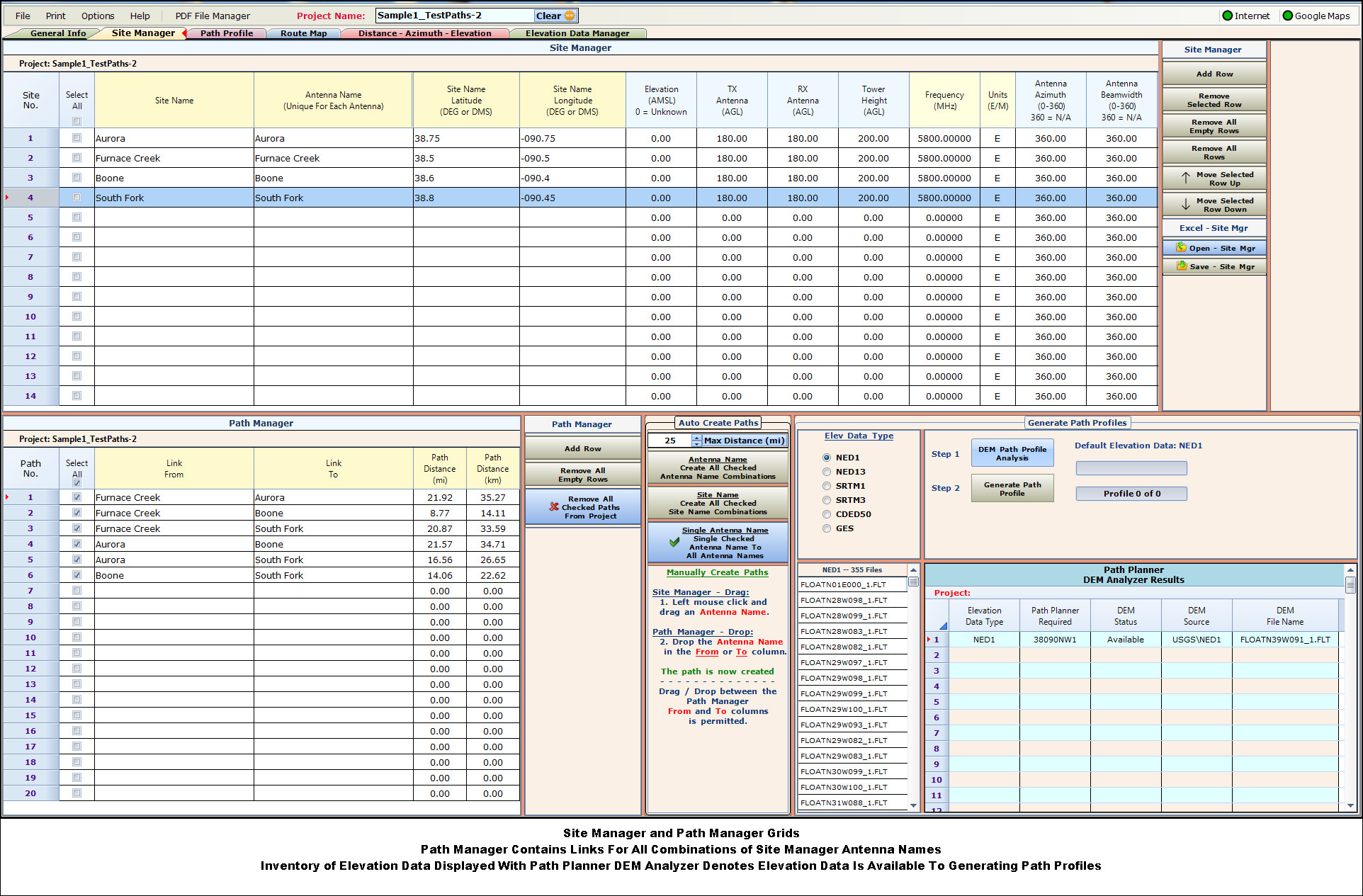
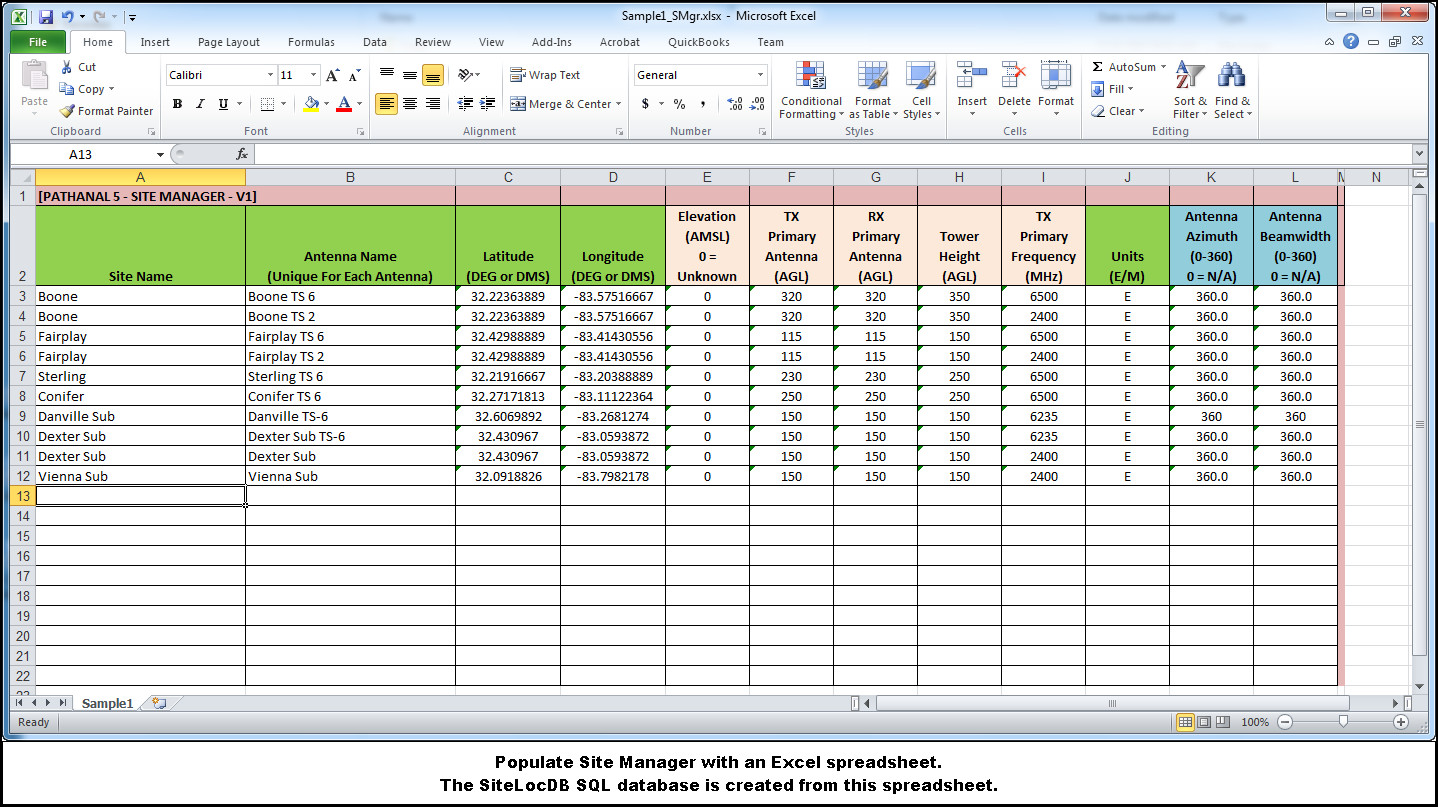
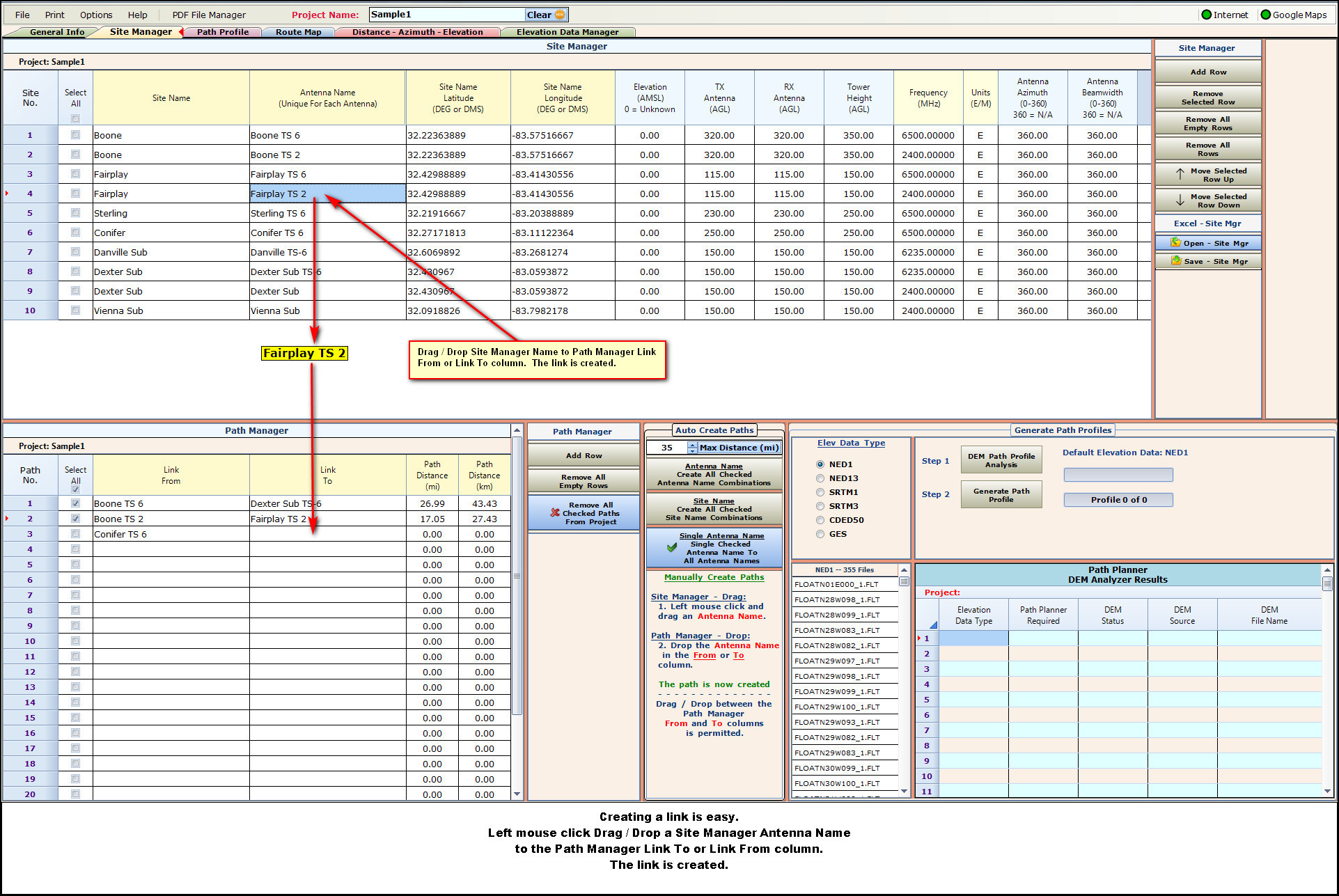
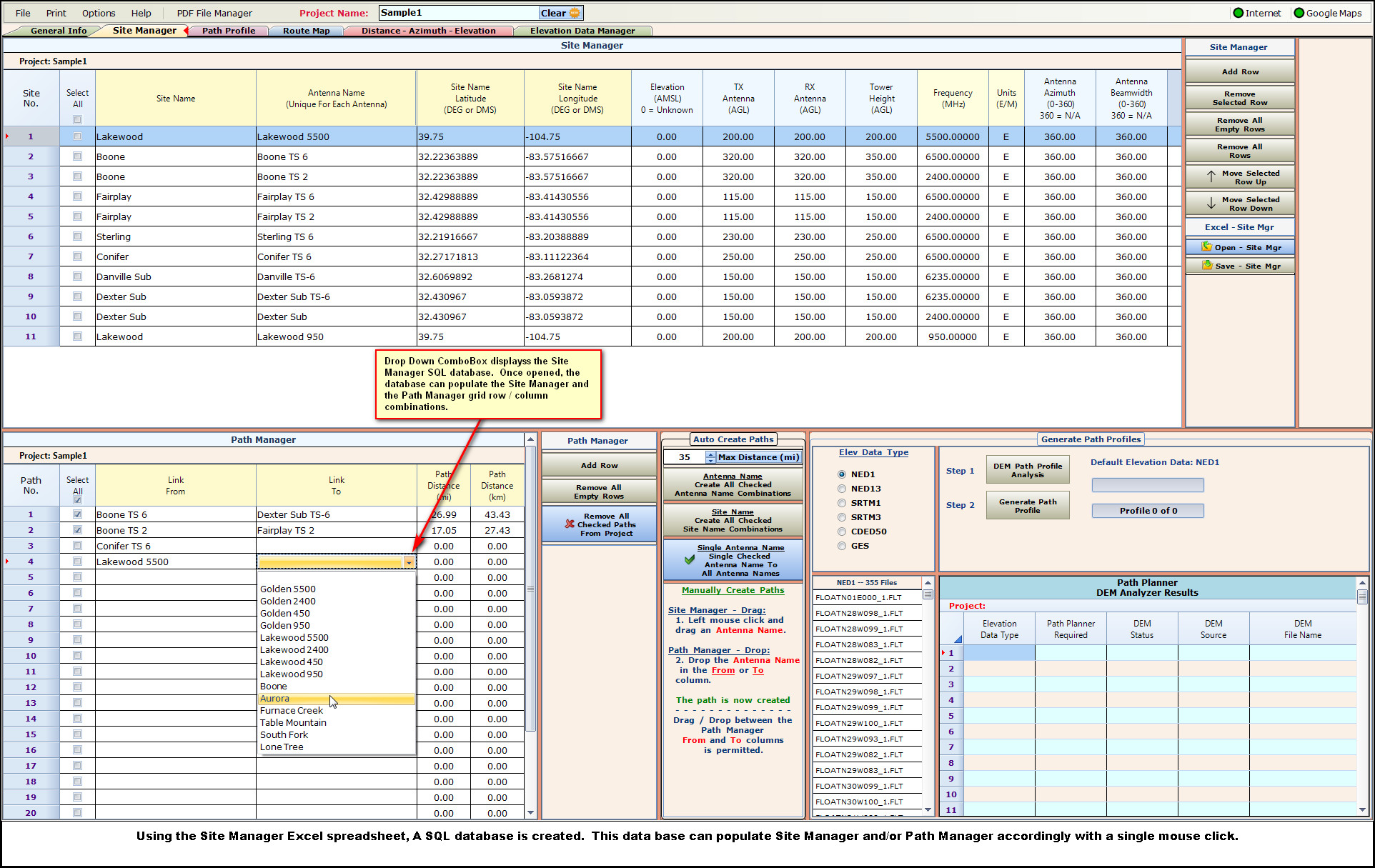
Site Manager - Path ManagerSite Manager contains the site information, Path Manager are the individual links.
Drag / Drop two Site Manager Antenna Names to the Path Manager From / To and the link is created.
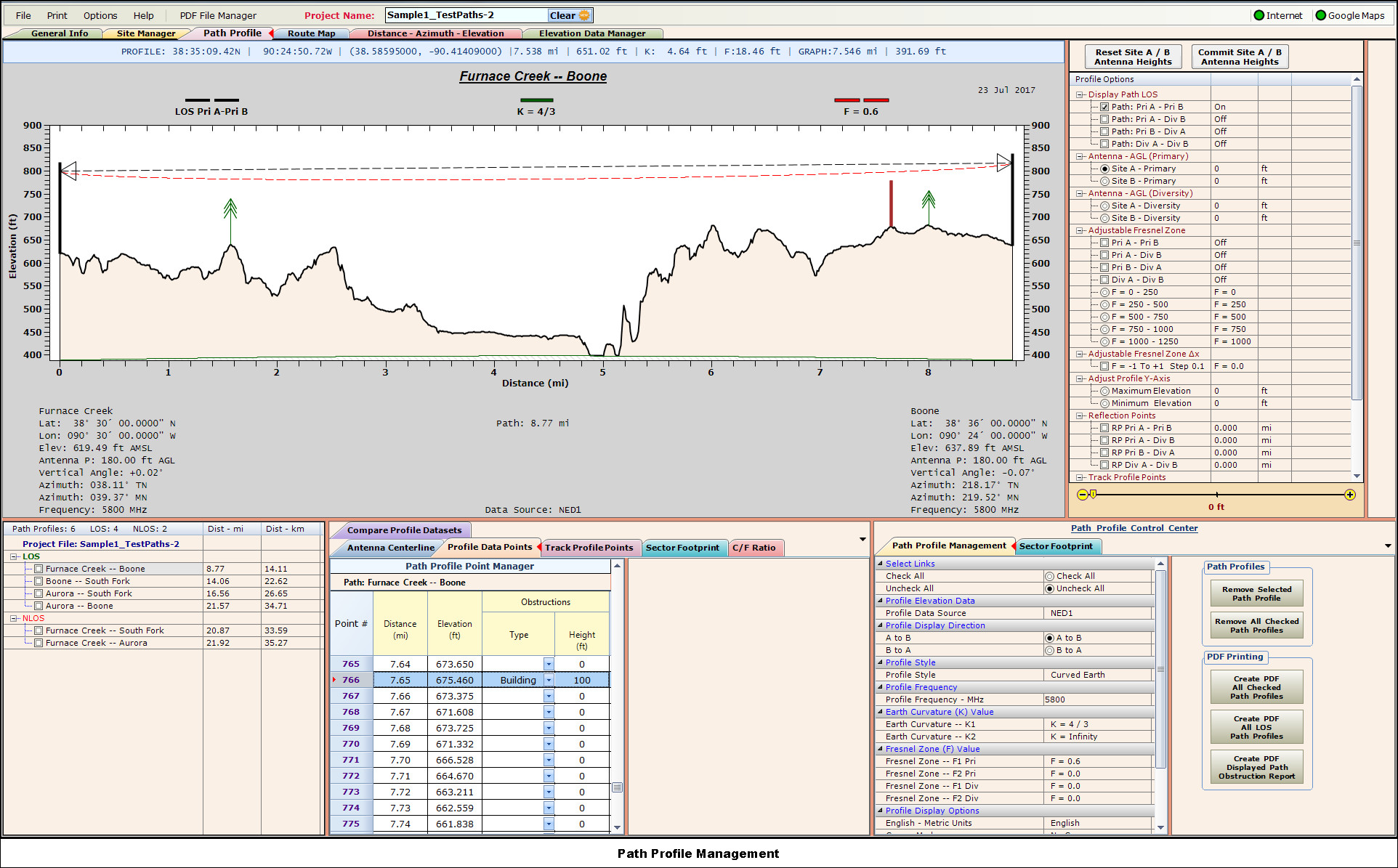
Path Profile ManagementManage path profiles points. Add building or tree obstructions.
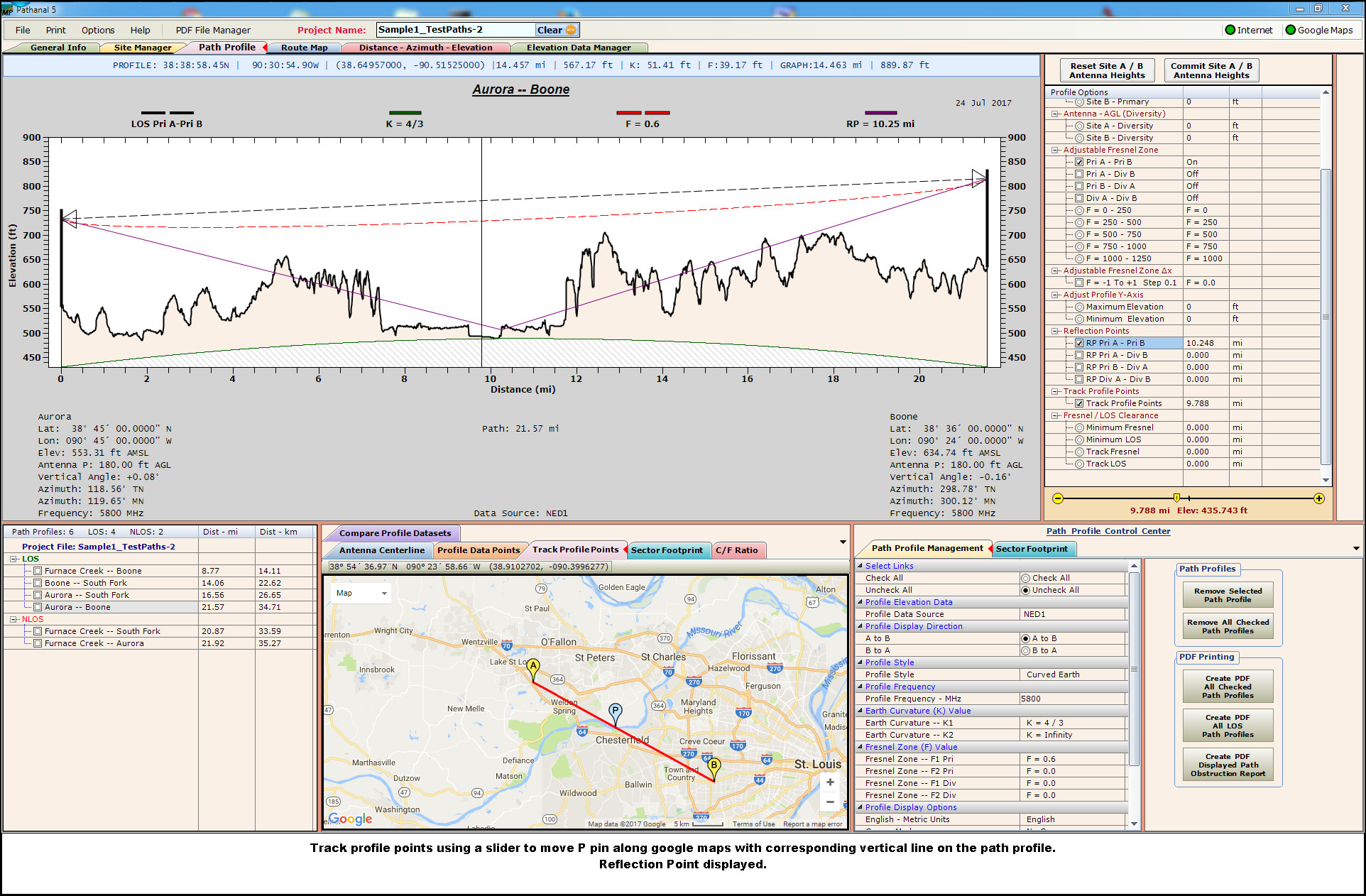
Easily manage path profile parameters. With a slider, raise / lower antenna heights, adjustable Fresnel zones, track path profile points, track LOS and Fresnel zone values.
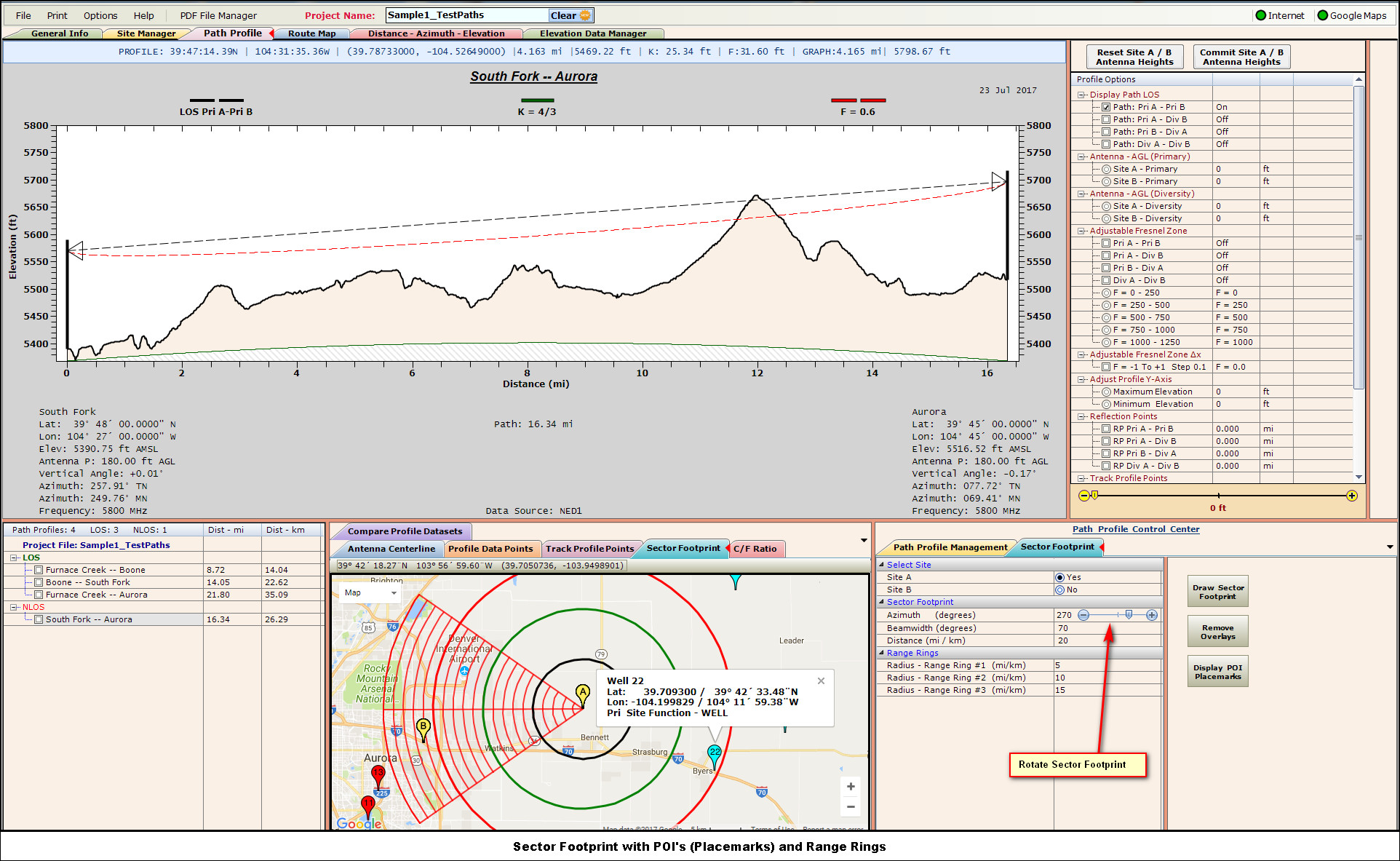
Display and rotate variable beamwidth sector footprints on Google Maps. POI's (Placemark Pins) can also be displayed.
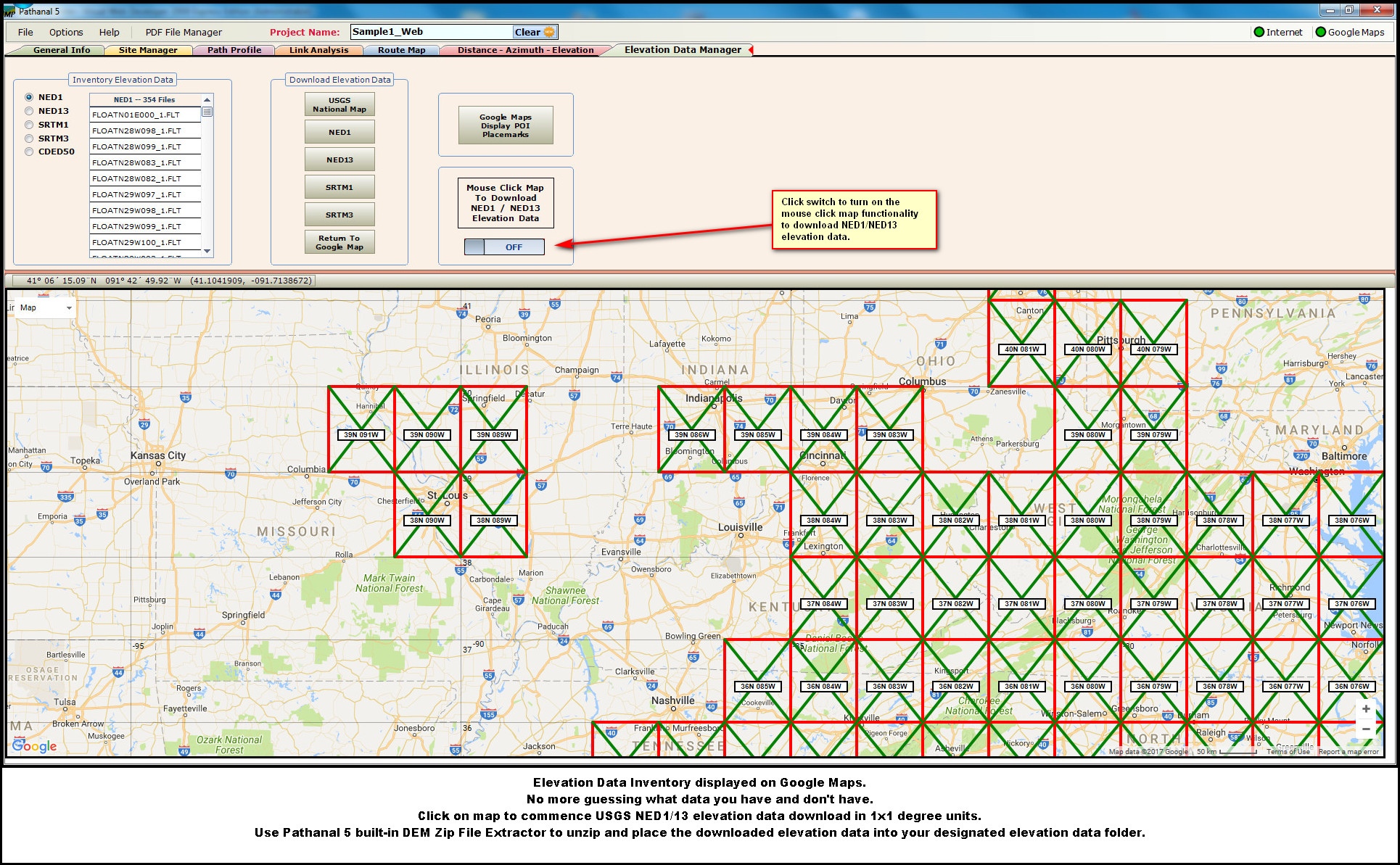
Visual Elevation Data Inventory - Route Map / System DiagramsInventory of elevation data is displayed on Google Map. Click on Google Map to download USGS NED1/13 elevation data.
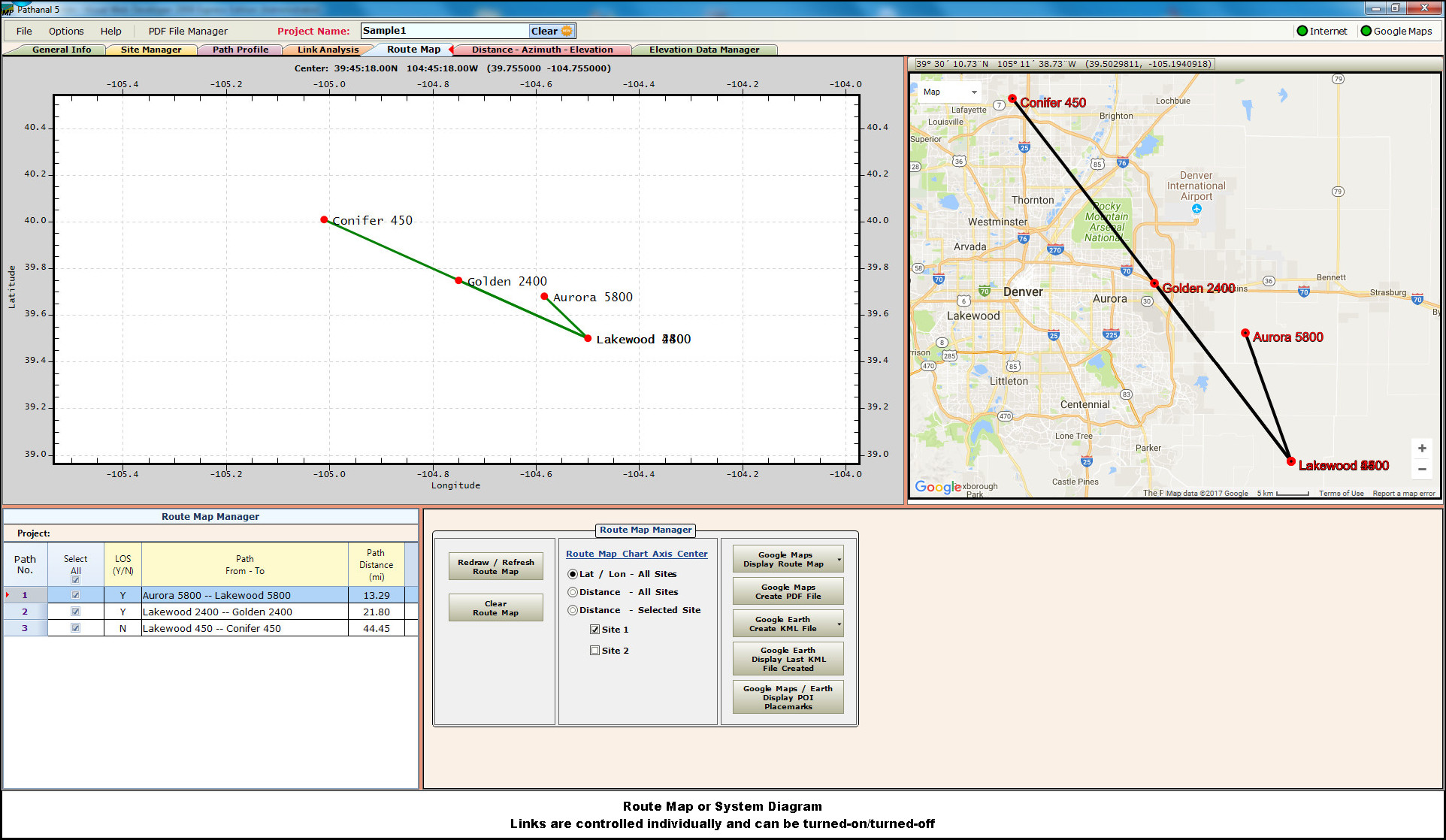
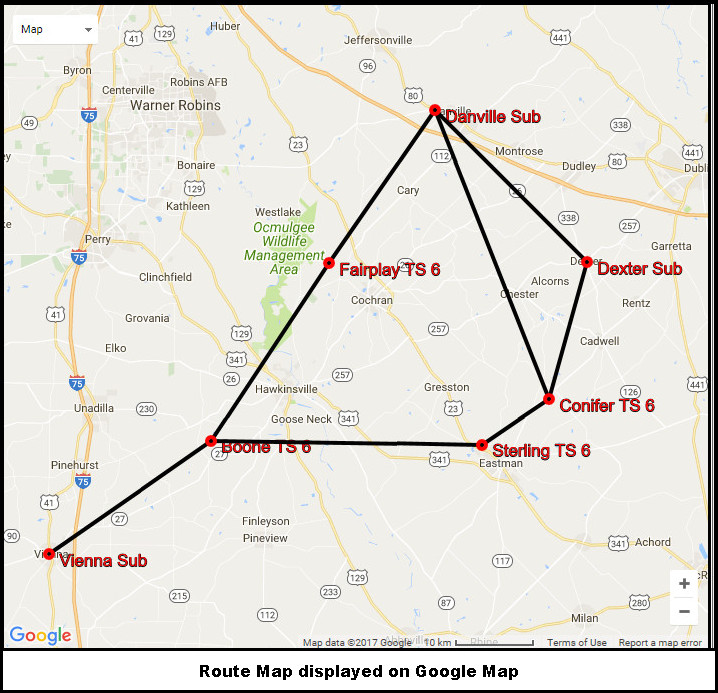
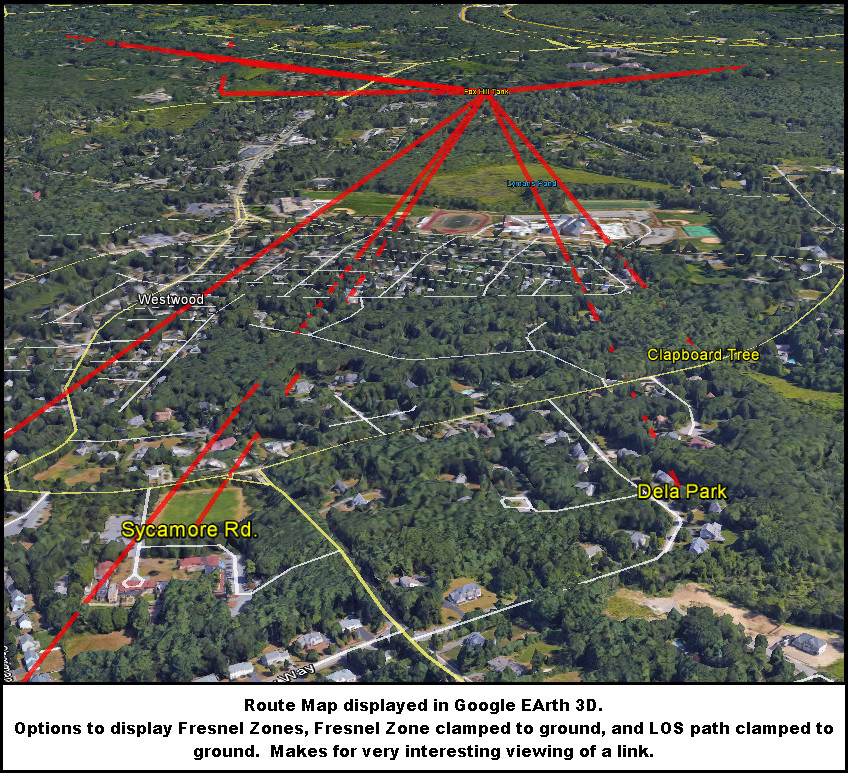
Route Maps displayed on white canvas, Google Maps, and Google Earth. Google Earth options to display Fresnel zone, path obstructions, path line clamped to ground.
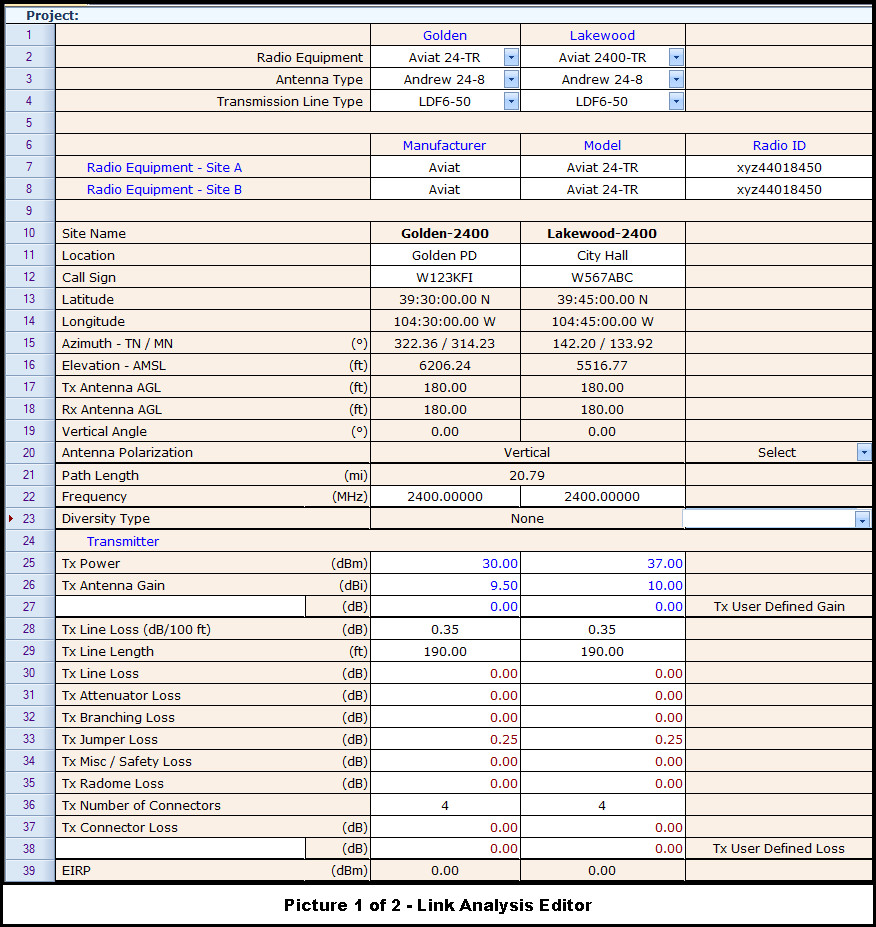
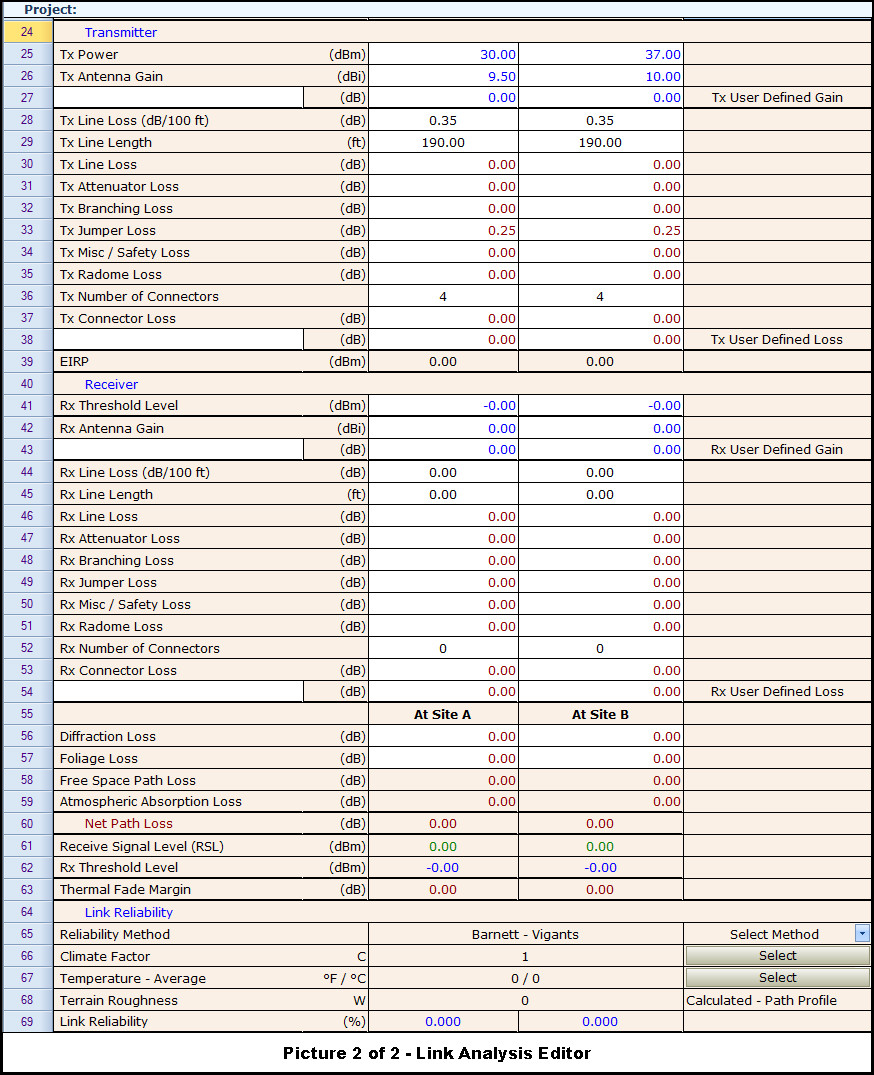
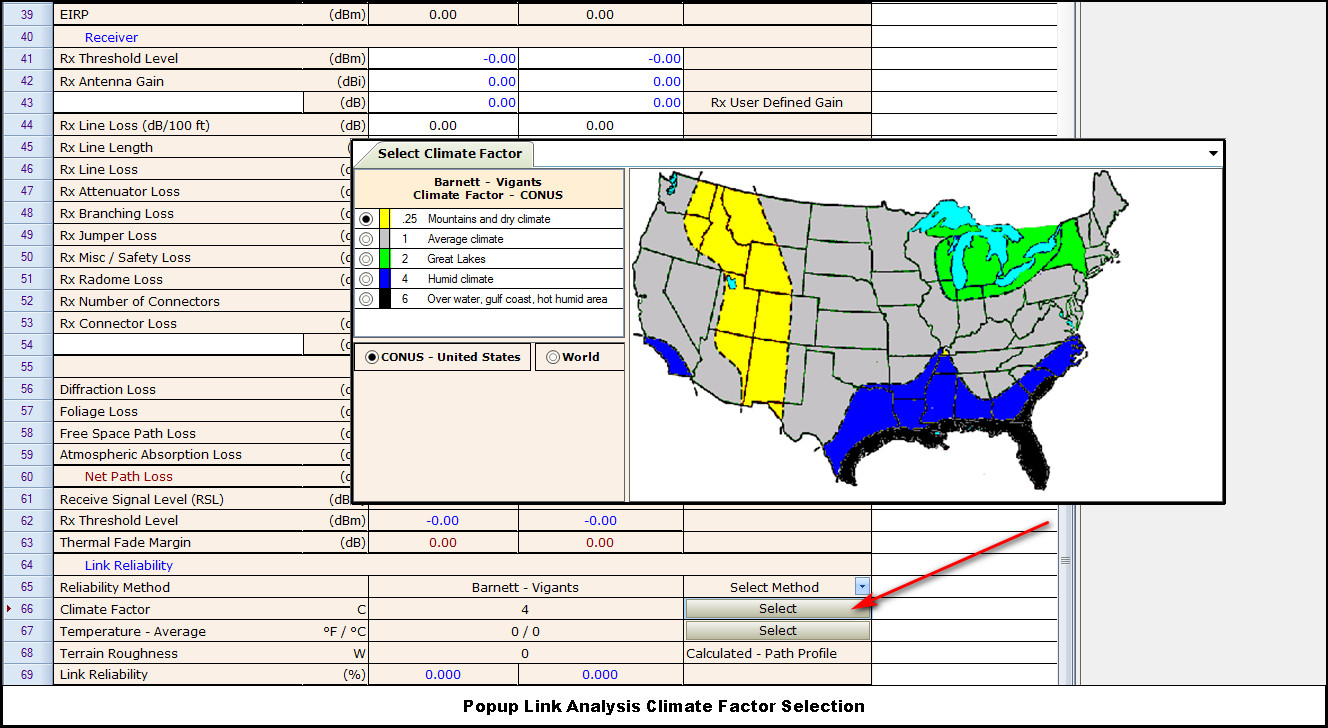
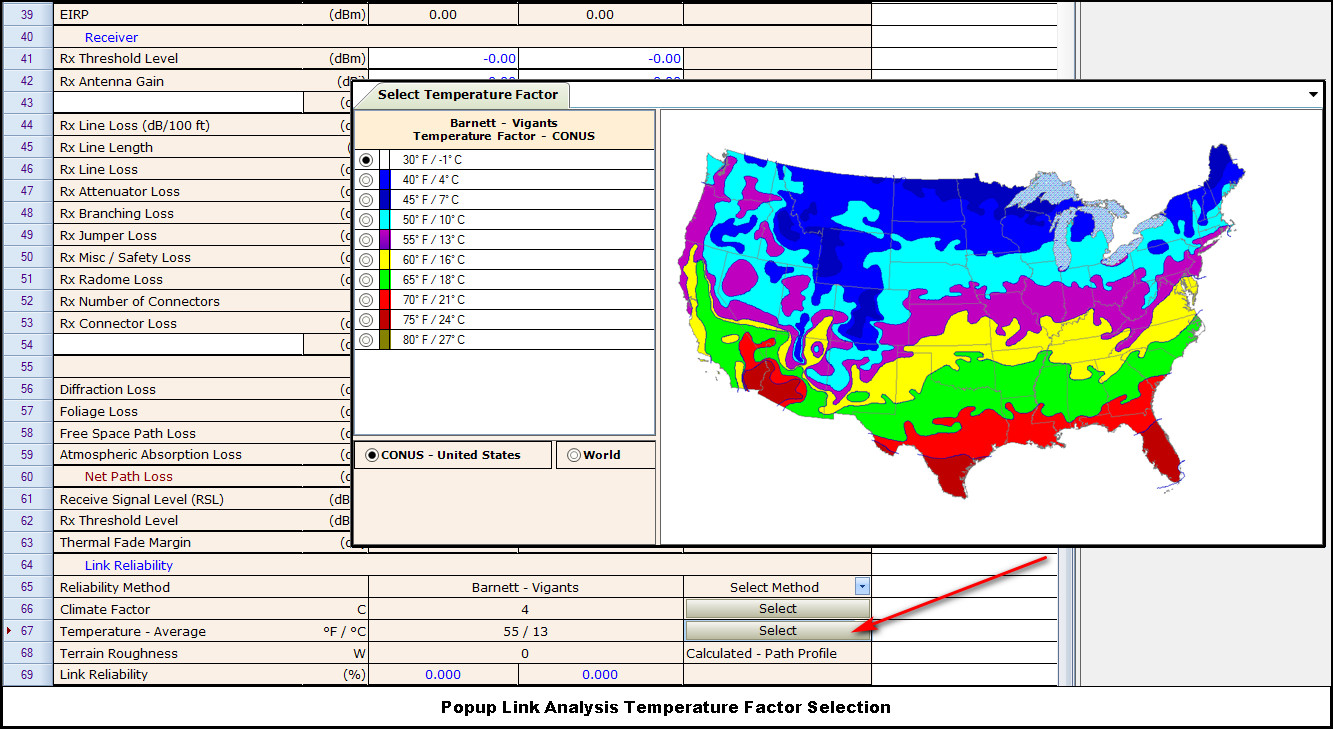
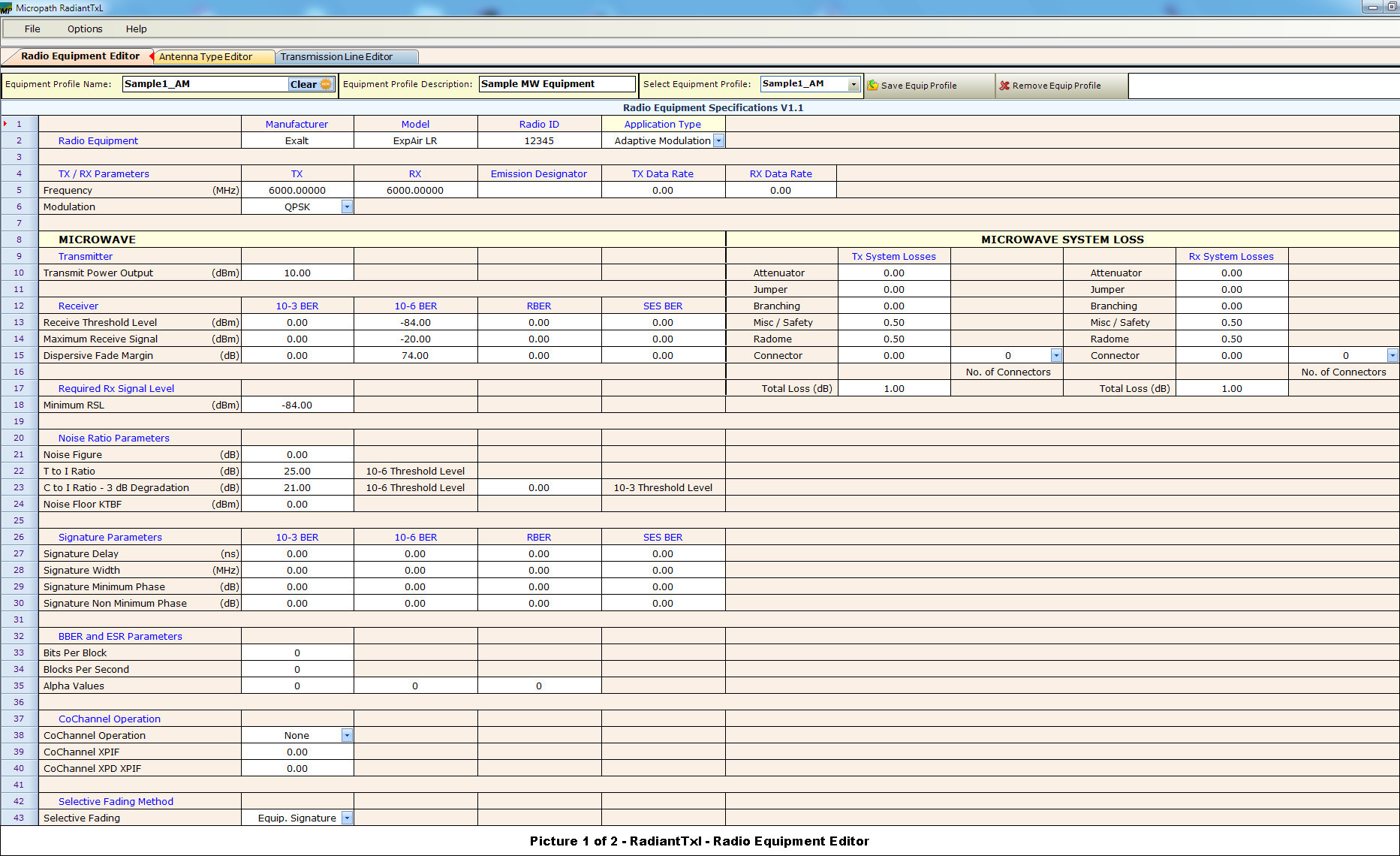
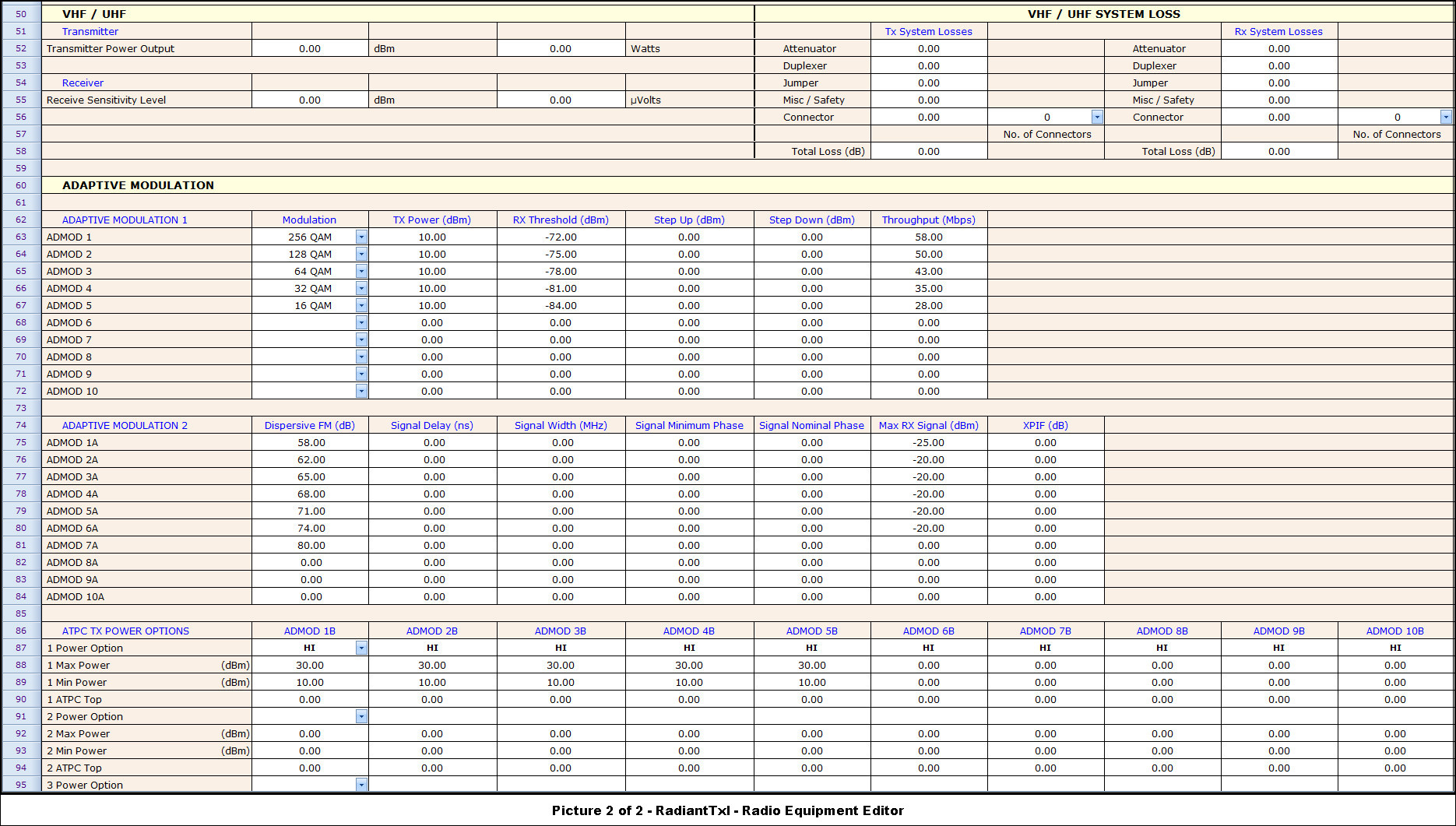
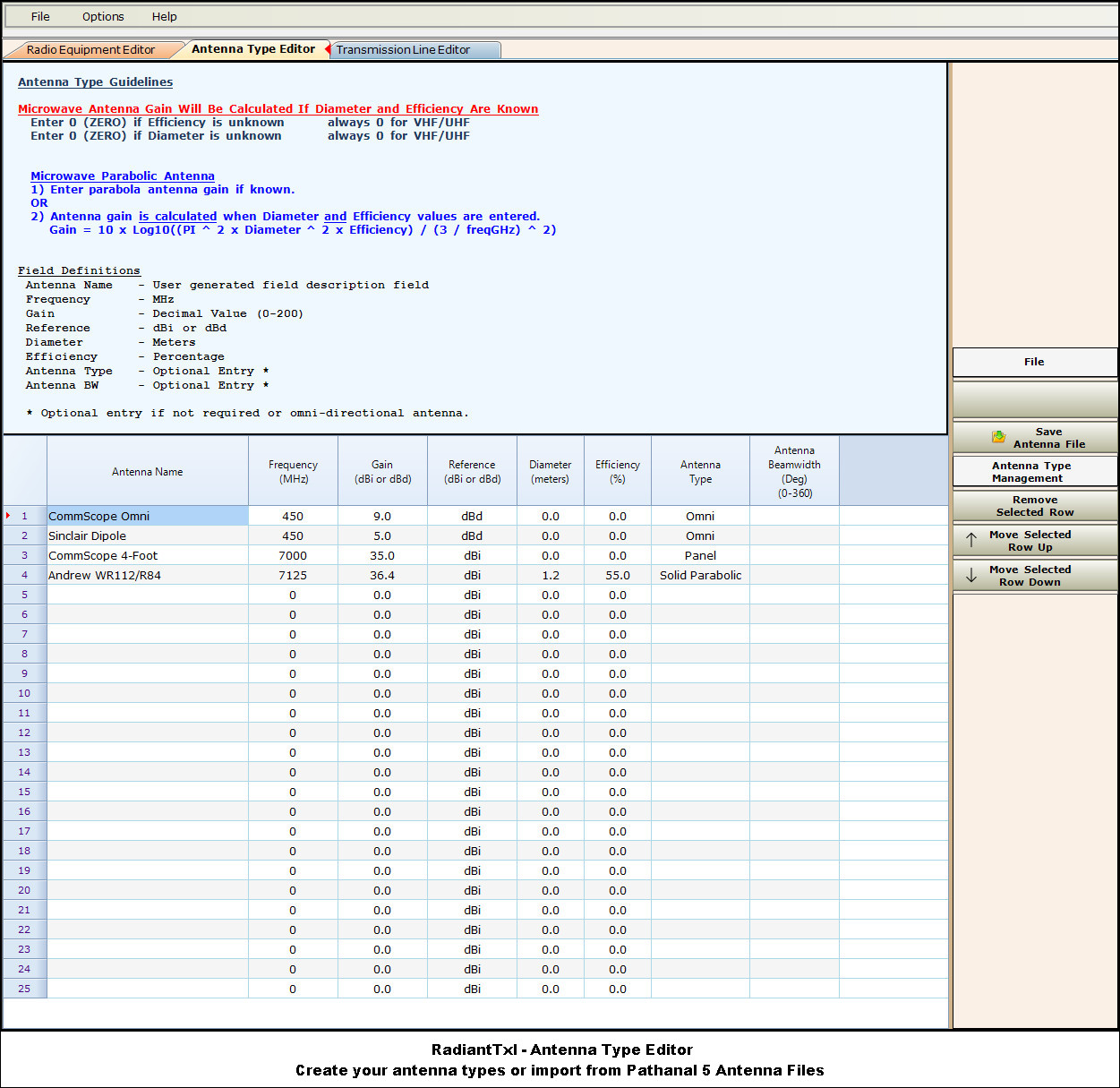
Link AnalysisThe Link Analysis editor imports the selected RadiantTxl equipment profiles, antenna types, and transmission line loss types.
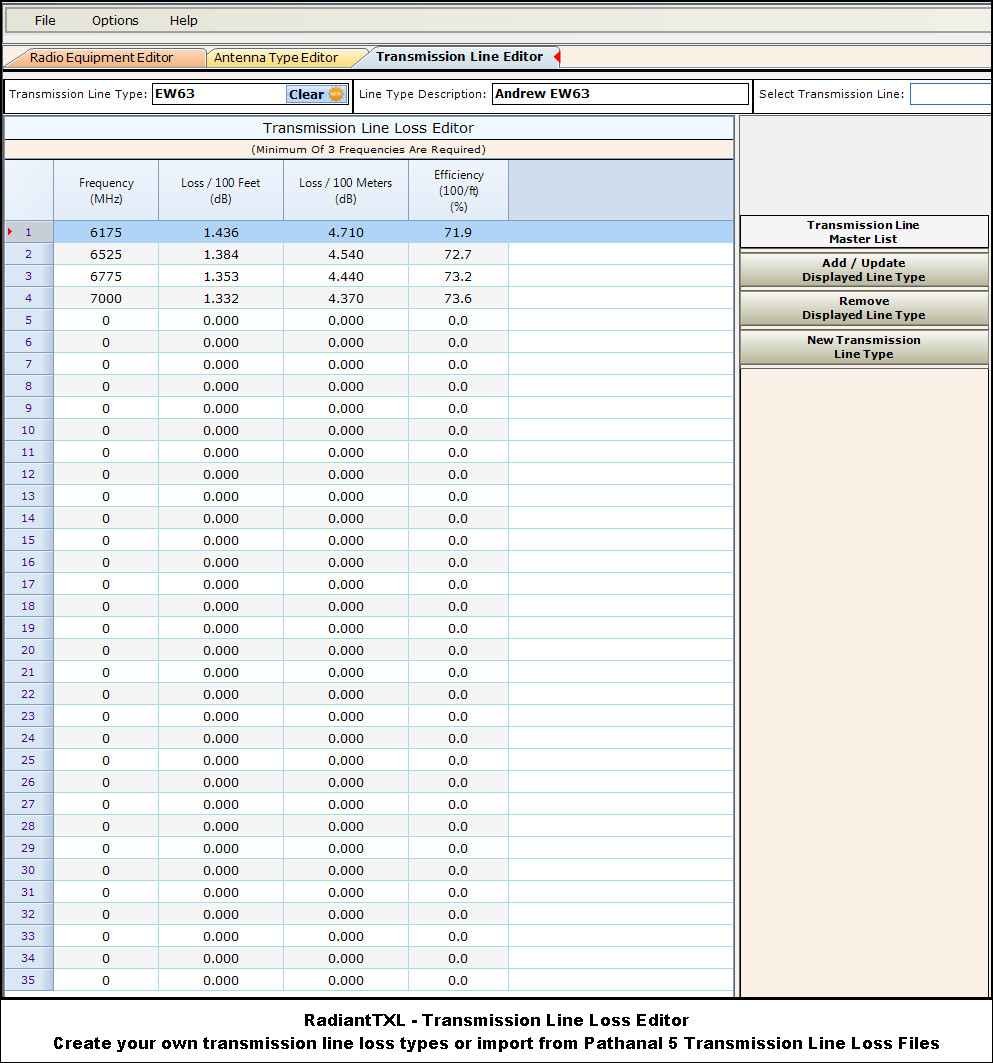
RadiantTXL - Radio Equipment Parameters, Antenna Types, And Tranmission Line Loss TypesCreate and import your own databases into the Path Analysis.
|